

@powersync/nuxt module includes PowerSync DevTools and adds it to Nuxt DevTools, so you do not need to install another package.
Requirements
@powersync/nuxt1.0.0 or later.- Nuxt DevTools 3 or 4.
@powersync/nuxt 0.x, follow the Migration Guide first.
Set Up DevTools
1
Enable diagnostics in the module
Set The module applies this option only during
useDiagnostics: true in nuxt.config.ts.nuxt dev, so DevTools is not added to a production build.2
Optional: Enable diagnostics when you connect
To show the total number of operations for each bucket in the Buckets tab, pass
diagnostics: true when you connect in your PowerSync plugin.3
Open PowerSync DevTools
Start
nuxt dev and open Nuxt DevTools. The module detects your Nuxt DevTools version, and the remaining steps depend on it.- Nuxt DevTools 3
- Nuxt DevTools 4
Nuxt 4 installs Nuxt DevTools 3 by default.Select the PowerSync tab in Nuxt DevTools. You can also open DevTools directly at
http://localhost:3000/__powersync/. Your app’s route middleware, such as an auth guard, does not apply to this page.The MCP tools need Nuxt DevTools 4.
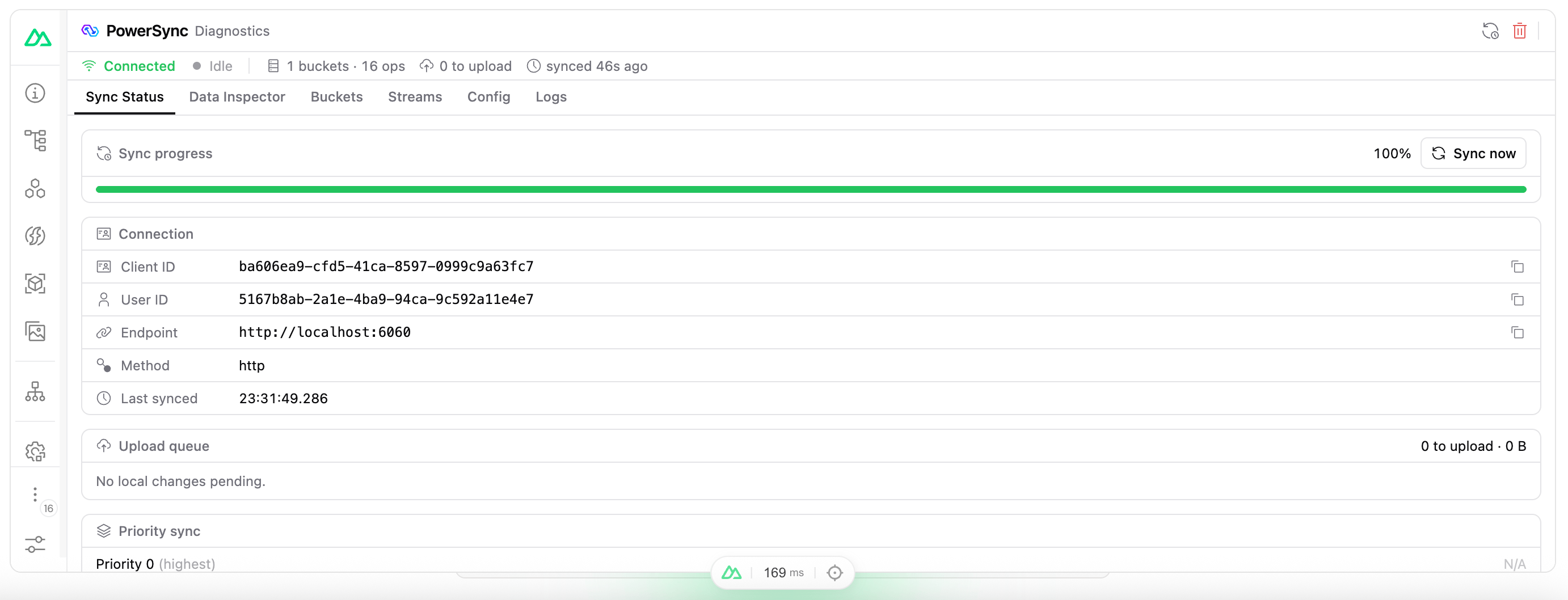
The PowerSync tab in Nuxt DevTools.
Troubleshooting
Nuxt DevTools 4 shows “No PowerSync database attached” after the app tab was idle. Reload the app tab to attach the database again.Migration Guide
@powersync/nuxt 1.0.0 replaces the PowerSync inspector with PowerSync DevTools. The useDiagnostics option keeps its name and now turns on DevTools, so you do not need to change it. To upgrade from 0.x, follow these steps.
1
Replace NuxtPowerSyncDatabase
NuxtPowerSyncDatabase is removed. Use PowerSyncDatabase from @powersync/web, and pass diagnostics: true when you connect.NuxtPowerSyncDatabase set enableMultiTabs: true on every browser, but PowerSyncDatabase turns off multi-tab support on Safari, iOS, and Android by default. To keep the old behavior, set enableMultiTabs: true in the database options.2
Remove the inspector exports
These exports are removed:
usePowerSyncInspectorusePowerSyncInspectorDiagnostics- The types
UsePowerSyncInspectorDiagnosticsReturnandUsePowerSyncInspectorDiagnosticsTotals
diagnosticsSchema to your schema, remove it. DevTools no longer adds tables to your database.3
Remove the UnoCSS workaround
The module no longer uses UnoCSS. If you added this setting to avoid a conflict with Tailwind CSS, remove it:
4
Update links to the inspector page
The
/__powersync-inspector page is removed. Use the PowerSync tab in Nuxt DevTools. With Nuxt DevTools 3, you can also open /__powersync/.