> ## Documentation Index
> Fetch the complete documentation index at: https://powersync-diagnostics-docs.mintlify.site/llms.txt
> Use this file to discover all available pages before exploring further.
# Using PowerSync DevTools
> What each PowerSync DevTools tab shows, and the sync actions you can run from DevTools.
PowerSync DevTools has the same tabs in Vite, Nuxt, and Node.js. To set it up, start with the [overview](/tools/devtools-overview).
## Header and Status Bar
 The status bar stays visible on every tab and summarizes the sync state, including the latest error. The header has these controls:
| Control | Description |
| - | - |
| Database list | Selects the database to show. It appears only when more than one database is attached, for example when your app is open in two browser tabs. |
| **Sync now** | Requests a checkpoint and waits until the client is up to date. Your app must connect with `checkpointMode: 'requests'`. Read [Sync Catch-Up](/client-sdks/advanced/checkpoint-requests). |
| **Clear & re-sync** | Deletes the local data and downloads it again. Hold the button for one second to start it. |
**Clear & re-sync** also deletes the local changes in the upload queue. Changes that did not upload, for example writes made offline, are lost.
## Sync Status
The status bar stays visible on every tab and summarizes the sync state, including the latest error. The header has these controls:
| Control | Description |
| - | - |
| Database list | Selects the database to show. It appears only when more than one database is attached, for example when your app is open in two browser tabs. |
| **Sync now** | Requests a checkpoint and waits until the client is up to date. Your app must connect with `checkpointMode: 'requests'`. Read [Sync Catch-Up](/client-sdks/advanced/checkpoint-requests). |
| **Clear & re-sync** | Deletes the local data and downloads it again. Hold the button for one second to start it. |
**Clear & re-sync** also deletes the local changes in the upload queue. Changes that did not upload, for example writes made offline, are lost.
## Sync Status
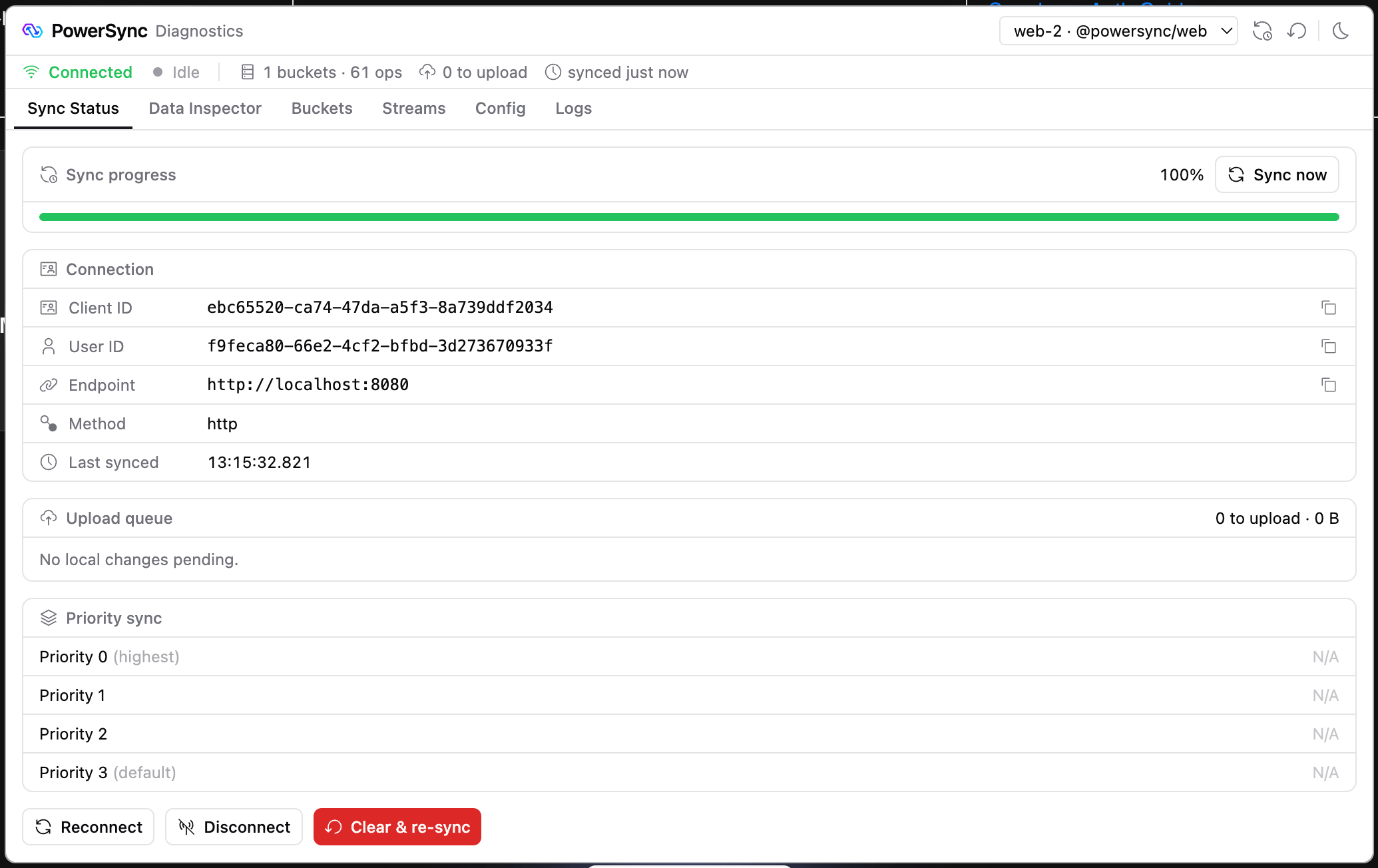 Use the **Sync Status** tab to check the connection, the download progress for each priority, and the local changes that are still waiting to upload. The tab also shows download and upload errors.
Use **Disconnect** and **Reconnect** to test how your app behaves offline and when it connects again.
## Data Inspector
Use the **Sync Status** tab to check the connection, the download progress for each priority, and the local changes that are still waiting to upload. The tab also shows download and upload errors.
Use **Disconnect** and **Reconnect** to test how your app behaves offline and when it connects again.
## Data Inspector
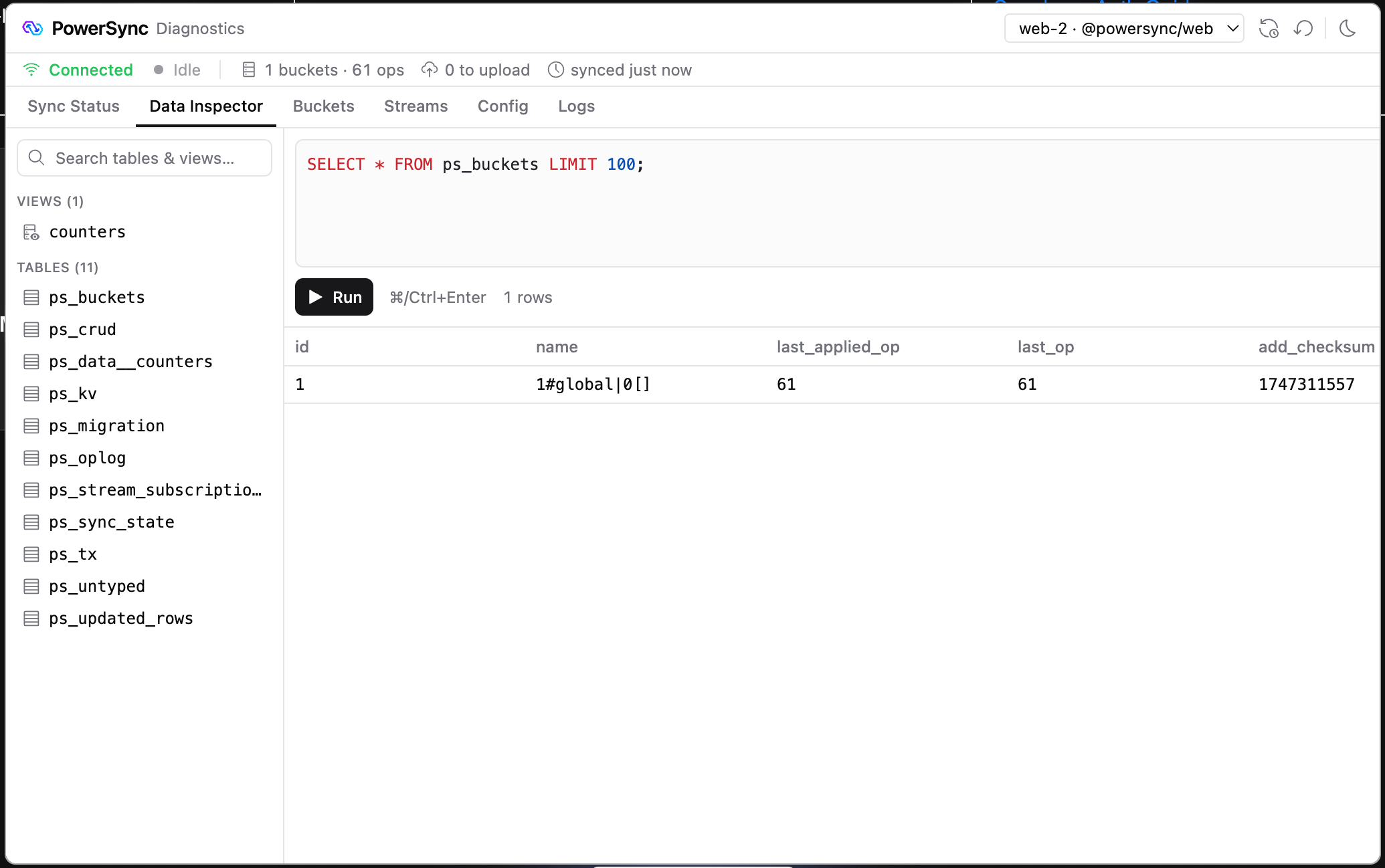 Use the **Data Inspector** tab to browse your tables and to run SQL against the local SQLite database in your app. To run a query, press `⌘+Enter` or `Ctrl+Enter`. Queries do not reach your source database.
The tables in your schema are SQLite views. The client's sync state is in internal `ps_*` tables, such as `ps_buckets`, `ps_oplog`, and `ps_crud`.
Writes in the SQL editor change your local data. A write to one of your schema tables goes into the upload queue, and your connector's `uploadData()` sends it to your backend, like a write from your app.
## Buckets
Use the **Data Inspector** tab to browse your tables and to run SQL against the local SQLite database in your app. To run a query, press `⌘+Enter` or `Ctrl+Enter`. Queries do not reach your source database.
The tables in your schema are SQLite views. The client's sync state is in internal `ps_*` tables, such as `ps_buckets`, `ps_oplog`, and `ps_crud`.
Writes in the SQL editor change your local data. A write to one of your schema tables goes into the upload queue, and your connector's `uploadData()` sends it to your backend, like a write from your app.
## Buckets
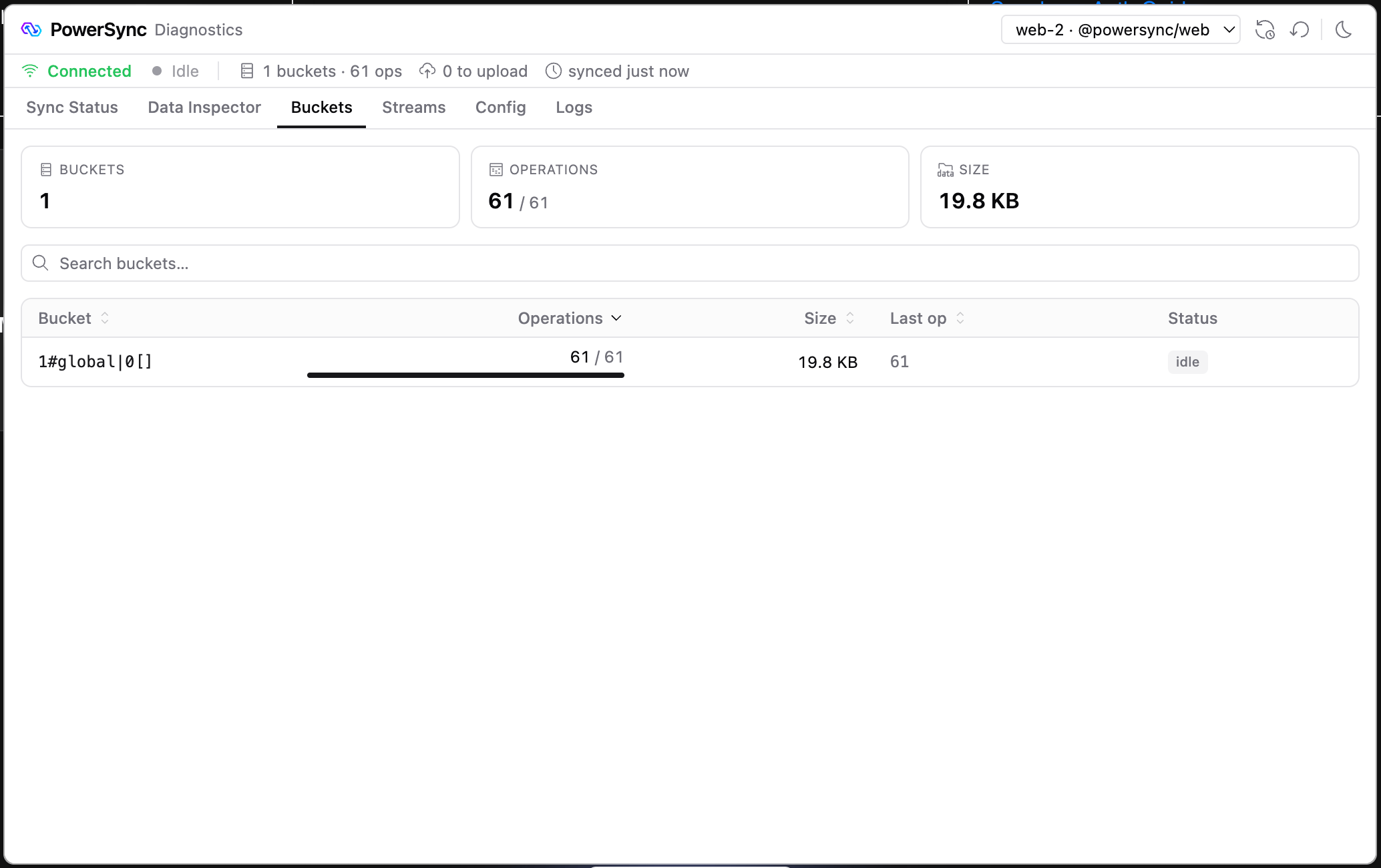 The **Buckets** tab lists the buckets on the client, with the downloaded operations and size of each. Select a bucket to see its operations and rows.
To also see the total number of operations for each bucket, connect with `diagnostics: true`:
```typescript theme={null}
await db.connect(connector, { diagnostics: true });
```
## Streams
The **Buckets** tab lists the buckets on the client, with the downloaded operations and size of each. Select a bucket to see its operations and rows.
To also see the total number of operations for each bucket, connect with `diagnostics: true`:
```typescript theme={null}
await db.connect(connector, { diagnostics: true });
```
## Streams
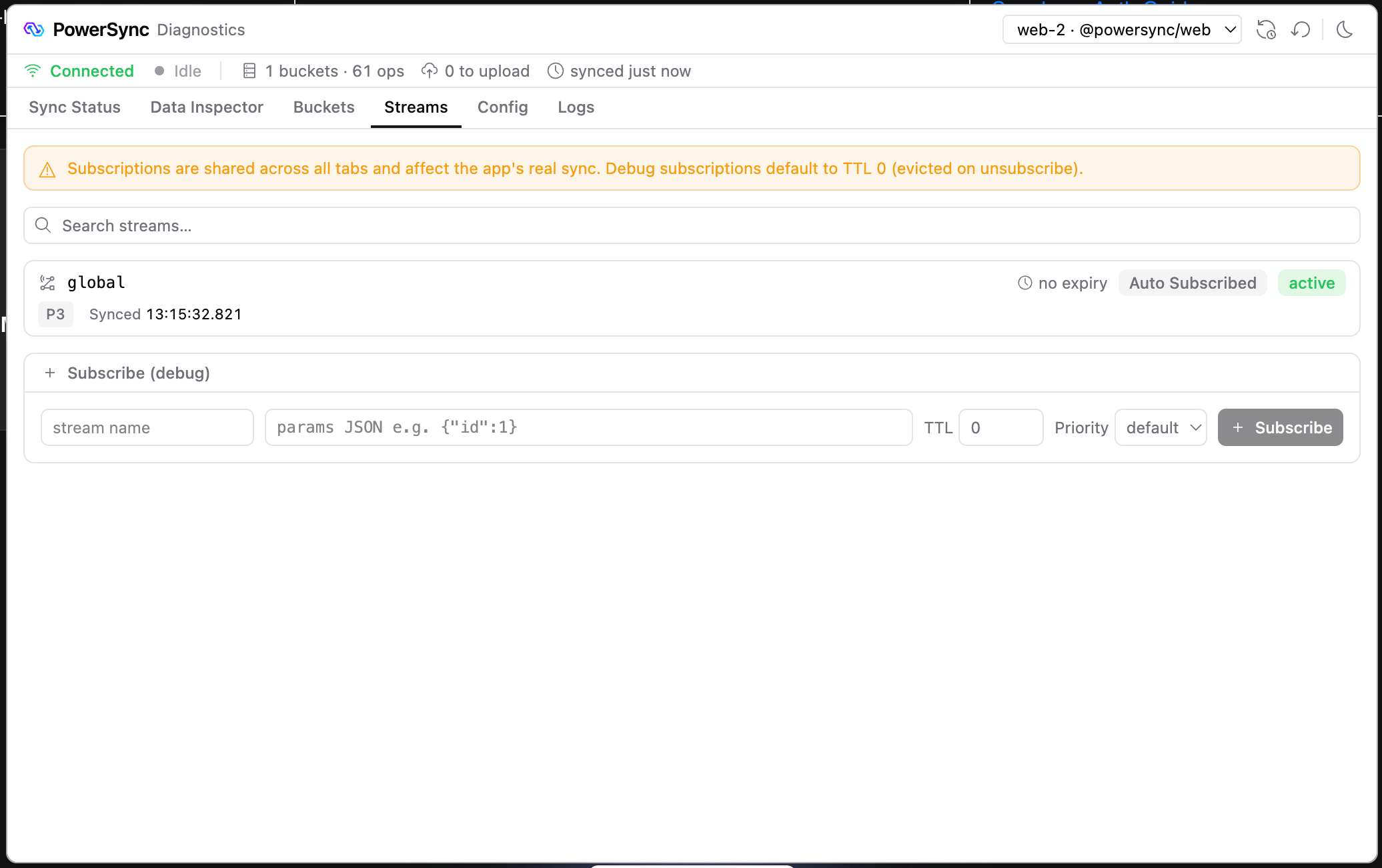 The **Streams** tab lists your Sync Stream subscriptions, including when each one expires.
To test a stream, subscribe to it with the form. The form's TTL defaults to 0, so the client removes the stream's data soon after you unsubscribe. Read [Sync Streams](/sync/streams/overview) for more about TTL and priority.
## Config
The **Streams** tab lists your Sync Stream subscriptions, including when each one expires.
To test a stream, subscribe to it with the form. The form's TTL defaults to 0, so the client removes the stream's data soon after you unsubscribe. Read [Sync Streams](/sync/streams/overview) for more about TTL and priority.
## Config
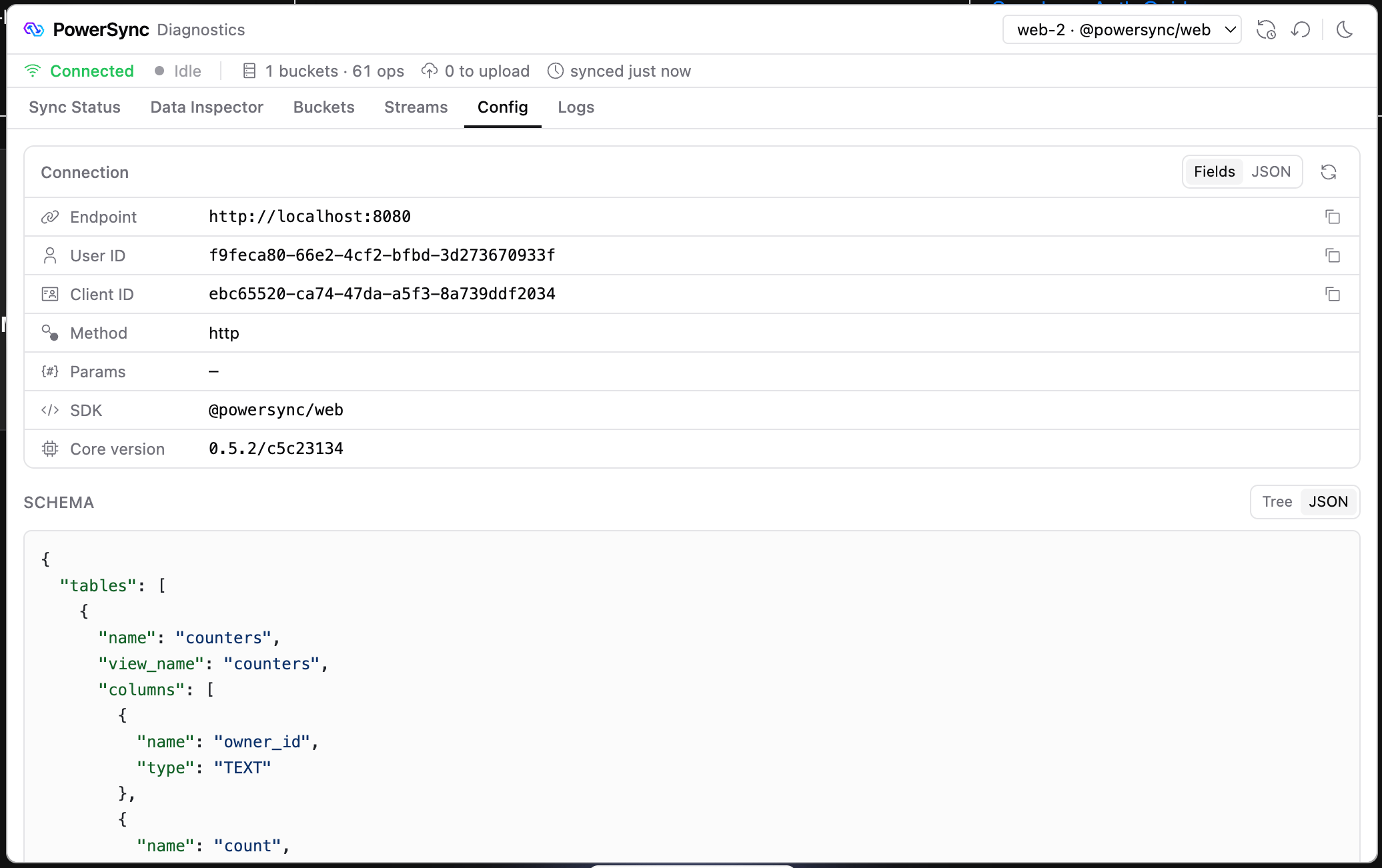 The **Config** tab shows the connection details, such as the endpoint, user ID, and connection parameters, and your client schema.
The user ID comes from the `sub` claim of the JWT that your connector returns.
## Logs
The **Config** tab shows the connection details, such as the endpoint, user ID, and connection parameters, and your client schema.
The user ID comes from the `sub` claim of the JWT that your connector returns.
## Logs
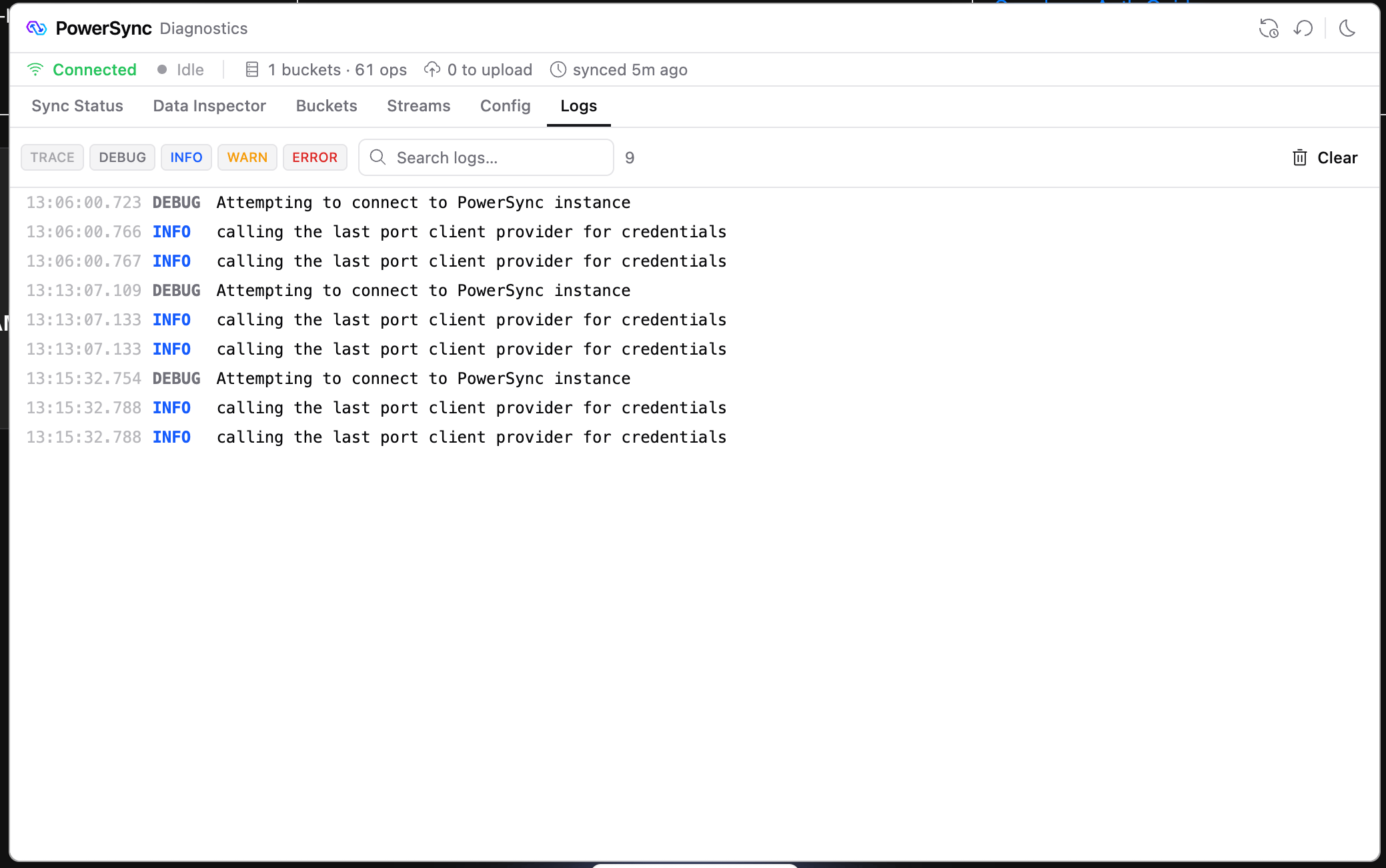 The **Logs** tab shows the PowerSync SDK's log records. It collects records only after DevTools attaches to the database, so earlier records do not appear.
This documentation is built and hosted on [Mintlify](https://mintlify.com), a developer documentation platform.
The **Logs** tab shows the PowerSync SDK's log records. It collects records only after DevTools attaches to the database, so earlier records do not appear.
This documentation is built and hosted on [Mintlify](https://mintlify.com), a developer documentation platform.