> ## Documentation Index
> Fetch the complete documentation index at: https://powersync-diagnostics-docs.mintlify.site/llms.txt
> Use this file to discover all available pages before exploring further.
# PowerSync DevTools
> Inspect the live state of your app's PowerSync client during development, in your browser DevTools or through MCP tools for coding agents.
PowerSync DevTools shows the sync status, buckets, Sync Stream subscriptions, local SQLite data, schema, and logs of the PowerSync client in your app. You can also run SQL queries and sync actions. Coding agents can read the same data through [MCP tools](/tools/devtools/mcp) when you use Vite, Nuxt DevTools 4, or Node.js.
DevTools runs in development only and adds nothing to a production build.
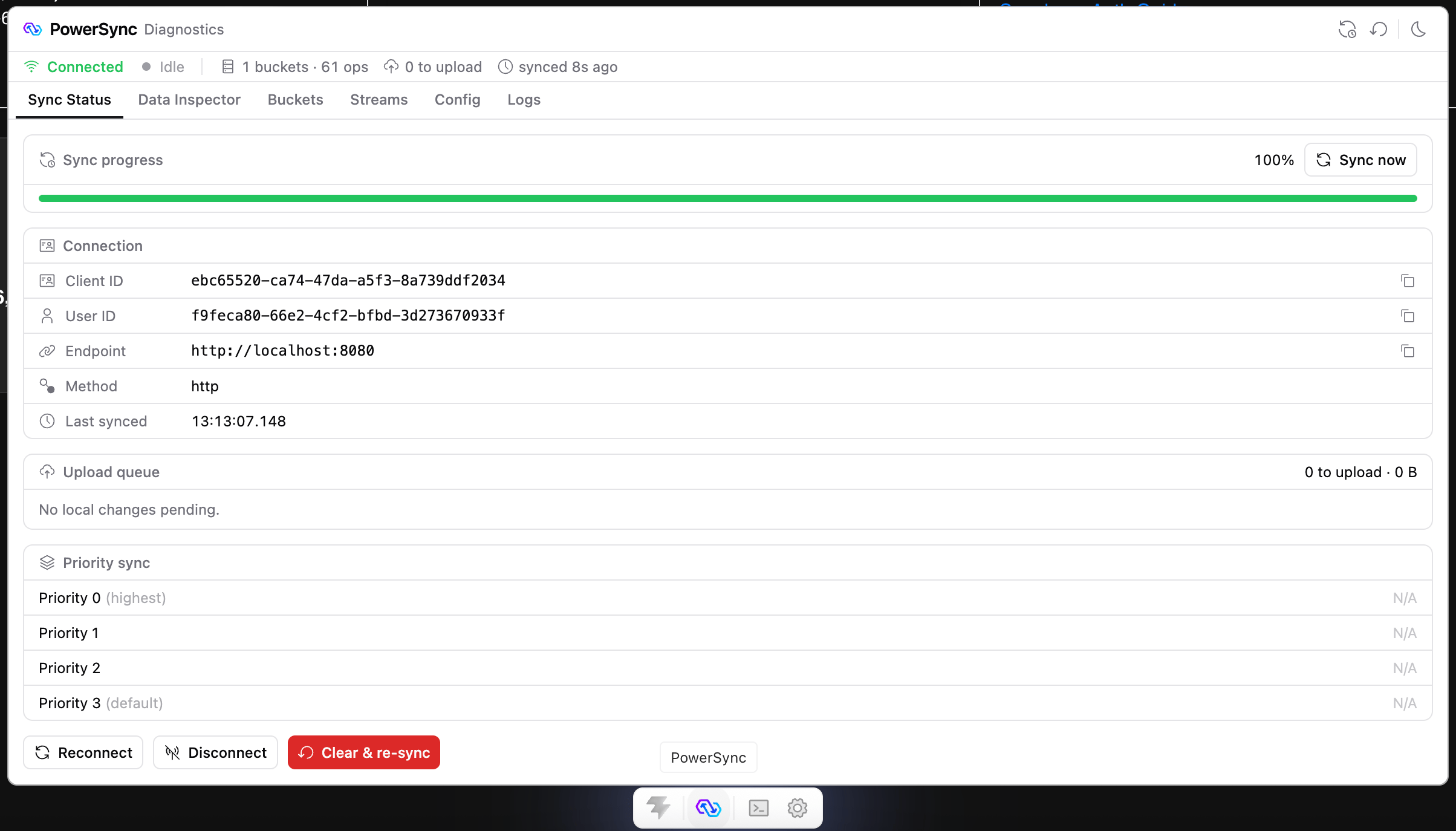 ## How It Works
Your Vite or Nuxt dev server serves DevTools. In a Node.js app, your app process serves it instead.
```mermaid theme={null}
flowchart LR
App["Your app
## How It Works
Your Vite or Nuxt dev server serves DevTools. In a Node.js app, your app process serves it instead.
```mermaid theme={null}
flowchart LR
App["Your app
(browser tab or Node process)"] -- "live database" --> Host["Dev server
(Vite, Nuxt, or your Node app)"]
Host --> UI["DevTools window"]
Host --> Agent["Coding agent
(MCP)"]
```
DevTools reads from the database that your app has open, so it shows the same data that your app sees.
## Choose Your Environment
React, Vue, Svelte, or any web app that uses Vite 7 or 8.
Nuxt apps that use `@powersync/nuxt` with Nuxt DevTools 3 or 4.
Node.js apps that use `@powersync/node`.
Flutter and Dart apps, in Dart & Flutter DevTools.
Support for more platforms is under consideration. To ask for a specific integration, submit an idea or vote for it on the [PowerSync Roadmap](https://roadmap.powersync.com).
## Tabs and MCP Tools
What each tab is for and which actions you can run.
Give a coding agent access to your app's live PowerSync client.
## DevTools vs. Sync Diagnostics Client
Use DevTools to inspect the client in your running app. Use the [Sync Diagnostics Client](/tools/diagnostics-client) to see the data that the Service syncs to a specific user. You can use both in tandem.
| | PowerSync DevTools | Sync Diagnostics Client |
| - | - | - |
| **How it connects** | To your running app | With a user JWT and the PowerSync endpoint |
| **What you inspect** | Local SQLite data and sync state in your app | Sync data: buckets, operations, stream subscriptions |
| **Environment** | Development only | Any environment |
| **SDK-specific** | Yes | No. It works with all SDKs. |
This documentation is built and hosted on [Mintlify](https://mintlify.com), a developer documentation platform.